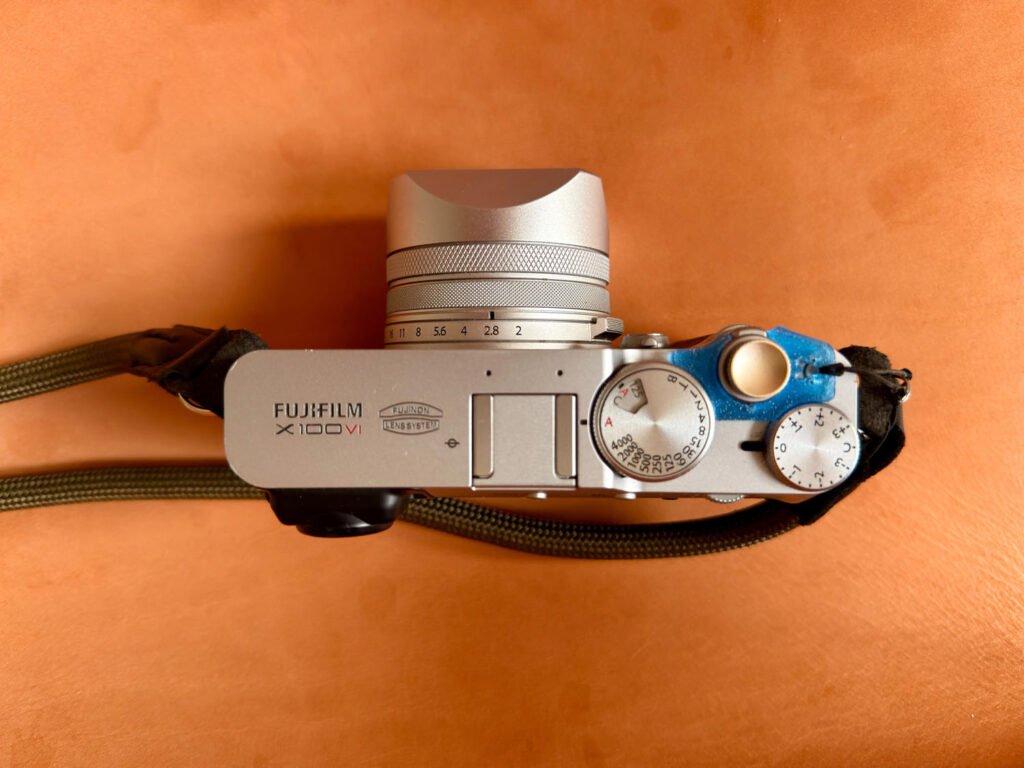
For many photographers, photography has never been only about what’s happening right now. It’s also about memory. About continuity. About keeping a visual thread that runs from one generation to the next. Fujifilm’s long relationship with film culture, and its famous film simulations, naturally attracts people who care about timeless images and quiet storytelling rather than trends.
Old family photographs often carry more emotional weight than any technically perfect shot we take today. Faded prints. Scratched negatives. Portraits with yellowed corners. They show faces we never met, places that no longer exist, moments that won’t come back. Restoring these images isn’t just a technical exercise. It feels more like caretaking.
This process can feel especially personal. The same eye that appreciates Classic Chrome, Acros, or Provia understands restraint. It knows when to stop. That mindset translates beautifully to restoration work. Once restored, family photos can even live alongside modern images, forming albums, books, or personal archives that quietly connect past and present.
In this article, we’ll look at how to restore old, damaged family photographs using PhotoWorks – very practical and approachable photo restoration software.

Why Digital Restoration Matters to Photographers
Family photographs are fragile. Much more than we often realise. Paper fades quietly. Emulsion cracks slowly. Dust settles in places you don’t notice until it’s too late. Time doesn’t rush, but it never stops either.
Once damage becomes severe, there’s no rewind button.
This is where digital restoration really matters. Not as a fancy trick, but as a form of protection. Scan an image, restore it carefully, and suddenly it’s safe. You can store it, back it up, share it. No more handling the original. No more risk.
There’s also something else that happens during restoration. You start seeing things again. Details that were hiding come back. A texture in a jacket. A background shape. A look in someone’s eyes that you hadn’t noticed before.
For photographers, this kind of work changes how you see images. Restoration forces restraint. You can’t “style” your way out of mistakes. You’re constantly asking yourself: Is this true to the original? Or am I pushing too far?
That mindset feels very familiar to Fujifilm users. Fuji cameras aren’t about exaggeration. They’re about balance. Character. Subtlety. Bringing that same approach into restoration work makes the process feel honest.

Introducing PhotoWorks as a Restoration Tool
PhotoWorks sits in an interesting middle ground. It doesn’t overwhelm you, but it doesn’t lock you into automation either. You stay in control.
That’s important with old photos.
The software covers everything you actually need for restoration:
● You can crop away torn edges and straighten warped prints.
● You can heal scratches, dust, stains, even cracks.
● You can bring back detail with careful sharpening.
● You can fix exposure and contrast without flattening the image
● You can work on color manually instead of trusting blind presets.
And if you want, yes, there are creative tools too. Vintage tones. Subtle vignettes. Simple frames. Nothing flashy. Nothing forced.
The key difference? PhotoWorks lets you move slowly. Step by step. Old photos don’t respond well to aggressive, one-click fixes. They need patience. Grain matters. Texture matters. Sometimes imperfections matter too.
Here is an example of what you can do to enhance an old photo using PhotoWorks:

Now, let’s see how to proceed step by step.
Step 1: Digitizing the Original Photograph
Everything depends on the scan. Everything.
If you start with a weak digital copy, no amount of editing will save it. For prints, aim for at least 600 DPI. More if the photo is heavily damaged or full of fine detail.
Before scanning, do one simple thing: clean gently. A soft, dry cloth is enough. No liquids. No pressure.
If a photo is stuck to glass or backing, don’t fight it. Scan it as it is. Perspective issues can be fixed later. Torn paper cannot.
Negatives and slides deserve special care. A dedicated film scanner makes a huge difference. The better your source, the more natural your restoration will feel later.

Step 2: Cropping and Structural Correction
Start with structure. Always.
Crop away damaged edges. Remove blank borders from scanning. Straighten the image if time has warped it slightly.
This step isn’t glamorous, but it sets the tone. There’s no point restoring cracks in areas you won’t keep. Clean foundations first. Everything else builds on that.

Step 3: Removing Scratches, Dust, and Stains
This is where restoration slows down. And that’s a good thing.
Use the Healing Brush for small marks. Switch to the Clone Stamp for longer scratches or repeating textures. Zoom in. Work carefully. Undo often.
Ask yourself constantly: Can I still see the original texture?
Faces are unforgiving. Overdo it and they turn flat, artificial, wrong. Eyes, hairlines, skin transitions — these areas need the lightest touch.
If you notice your edits immediately, you’ve gone too far.

Step 4: Restoring Sharpness and Contrast
Old photos often look soft. That’s normal. Paper degrades. Lenses were different. Printing techniques were different.
Sharpen gently. Very gently.
Contrast needs the same care. Most historical photos didn’t have deep blacks or bright whites. Push too hard and the image suddenly looks modern, even fake.
A mild S-curve is often enough. Just enough to bring back depth. Not enough to shout.
This is usually the moment when hidden details quietly reappear. That’s when you know you’re on the right path.

Step 5: Color Correction and Revival
Color aging is unpredictable. Yellow casts. Magenta shifts. Faded blues. Every photo ages differently.
Start simple. White balance. Temperature. Tint. Then refine with curves.
If you’re used to Fujifilm color profiles, this stage feels familiar. You’re not chasing saturation. You’re chasing harmony.
PhotoWorks supports LUTs, and they can help, but only if you’re restrained. Vintage tones should unify, not dominate. If the color catches your eye before the subject does, pull it back.
Realism always wins.

Step 6: Black-and-White Images and Film Character
Black-and-white restoration is its own discipline.
Grain belongs there. Uneven tones belong there. A little softness belongs there.
Resist the urge to clean too much. Protect the midtones. Let highlights breathe. A subtle vignette can guide attention without modernising the image.
For photographers who love Acros or classic monochrome film, this process feels intuitive. You’re not fixing flaws. You’re preserving character.

Step 7: Captions, Frames, and Archival Output
Once the image is restored, context matters.
Names. Dates. Places. Even a short note changes how the photo is read. It turns an image into a record.
Frames should stay simple. Quiet. The photo should lead, not the decoration.
Export high-resolution files for archiving. Smaller versions for sharing. Keep backups. More than one.

Creating Family Projects With Restored Images
Restored photos don’t have to exist alone.
Pair them with new images. Photograph the same streets. The same houses. The same landscapes. Place past and present side by side.
These projects often become more personal than expected. They slow you down. They sharpen your eye. They remind you that photography isn’t just about new gear or new places.
It’s about continuity.
Conclusion: Restoration as a Photographer’s Responsibility
Digital restoration isn’t about improving history. It’s about respecting it.
For photographers who value nuance, balance, and authenticity, restoring family photographs feels like a natural extension of their craft. Tools like PhotoWorks make the process accessible, without stripping it of intention or control.
PhotoWorks is an intelligent, performant, and genuinely easy-to-use photo editor designed for careful, non-destructive work. It combines powerful restoration and color correction tools with a broader set of versatile features that photographers often need in one place. Beyond scratch removal, healing, sharpening, and tonal balance, it also offers:
● Portrait retouching tools,
● Background replacement,
● Precise cropping,
● Distortion and perspective correction,
● The ability to superimpose images and text,
● A wide range of filters and effects: HDR, vintage, 3D LUT and more.
Whether you are restoring archives or working on everyday photography projects, PhotoWorks remains approachable while offering depth. To explore its full capabilities, readers are invited to visit the PhotoWorks website and see how it fits into a thoughtful photographic workflow.
When you restore an old image carefully, you’re doing more than fixing damage. You’re protecting memory.
And that might be one of the most meaningful things photography can do.
The post Preserving family photography heritage: Digital restoration techniques appeared first on Fuji X Passion.